
How do I choose a point of sale system for restaurants?
Learn about the criteria for selecting a point of sale system for restaurants, the key features and operational requirements, how to test order modifications and split bills before purchasing, and how to avoid selection mistakes.
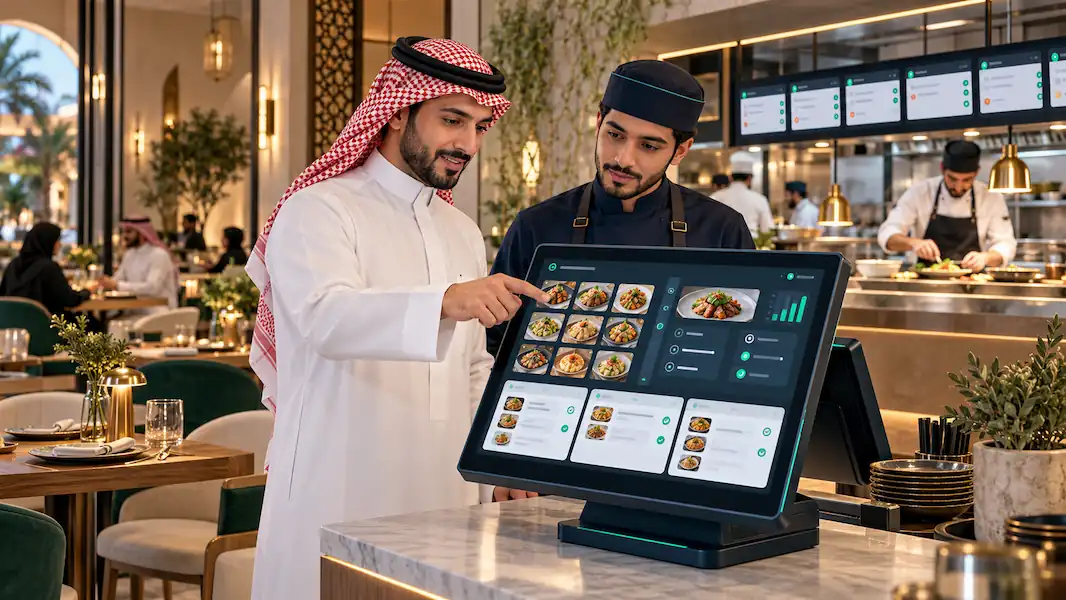
What Criteria Should I Use to Choose a Restaurant POS System?
Start with the criteria that relate to your restaurant’s order workflow: entering an order, modifying it, sending it for preparation, collecting payment, and reviewing it in reports. This is the starting point for defining your restaurant POS selection criteria.
Map the journey of a real order from the moment you receive it until the meal is served and the bill is closed. Then ask what the system does at each step:
Your Restaurant’s Order Workflow
Entering orders, modifying them, sending them for preparation, collecting payment, and reviewing reports.
The Employee Experience
Test real orders with the employee who will use the system.
Plan Limits and Costs
Confirm which functions the plan includes and what hardware is required to run them.
| Criterion | What Should You Test? | What Confirms It Works? |
|---|---|---|
| Order entry | Adding meals, sizes, extras, and notes | The order shows the correct price and details |
| Sending orders for preparation | Routing items to the team that prepares them | The order appears on the screen or prints at the intended station |
| Order modifications | Changing an item, quantity, or extra after entry | The change is clear to the cashier and preparation team |
| Table management, when needed | Opening an order for a table, moving it, or adding items | Order details remain linked to the correct table |
| Bill payment | Splitting the amount or using the required payment methods | Payments collected match the total bill |
| Employee permissions | Defining who can apply discounts, void transactions, or issue refunds | Unauthorized actions are blocked and permitted actions are recorded |
| Reports | Reviewing sales, discounts, and voids | You can access the details you need |
Hypothetical example: A table-service restaurant may need to keep an order open and add items throughout the visit. A restaurant that takes orders at the counter may give greater priority to fast entry and order numbering. Test your restaurant’s actual requirements before finalizing your checklist.
To review the general comparison process and calculate costs, refer to the guide to choosing the right POS system for your business , then apply it to the restaurant scenarios in this guide.
If you run a restaurant and are looking for a POS system in Saudi Arabia to manage your restaurant's sales and daily operations, explore the solutions offered by Sale.
How Do I Choose a POS System for a Quick-Service Restaurant?
Focus on fast order entry while preserving accurate details and communicating them clearly to the preparation team. When choosing a POS system for a quick-service restaurant, test common orders and meals with multiple options.
Try the following steps:
- Enter a meal with more than one size or option.
- Add a special request, such as removing an ingredient or adding a sauce.
- Mark the order as dine-in or takeaway, depending on how your restaurant operates.
- Send the order for preparation and check that all details appear.
- Collect payment and check the order number and receipt.
Example: Ask to enter a burger meal without onions, with large fries and a different drink from the default option. Check whether the employee can enter it clearly and whether the preparation team sees the modifications without needing an additional verbal explanation.
What Are the Most Important Restaurant POS Features?
The most important features support the way your restaurant operates and reduce manual steps between the cashier, service staff, and preparation team. When evaluating restaurant POS features, connect each feature to a task you need to perform.
Pay particular attention to:
Organizing menu items, sizes, extras, and their prices.
Recording customer notes and showing them to the preparation team.
Managing tables and open orders when these are part of your service model.
Modifying orders and splitting bills with clearly defined permissions.
Tracking item sales, discounts, and voids.
Managing shifts and reviewing payments collected.
Handling unavailable items during service.
Do not assume that every function is available in every system or plan. Ask the provider to demonstrate it, then confirm that it is included in the offer you intend to purchase.
Does the POS System Support Order Modifications and Split Bills?
Check how both functions work in practice; listing them in the system description does not explain every detail. To find out whether a POS system supports order modifications and split bills in the way you need, test a scenario that matches your service model.
For order modifications, try changing an item before sending it for preparation. Then ask what happens if it changes after being sent. Check how the modification appears, which permission is required to make it, and how it affects the price.
For split bills, ask whether you can:
- Allocate items to different customers.
- Divide the total equally.
- Collect part of the payment in cash and the rest using another method.
- Review payments received and the remaining balance.
Hypothetical calculation: Three customers want to split a SAR 180 bill equally. Each customer pays SAR 60. Collect the payment in three parts and confirm that the total collected equals SAR 180 and that the bill does not close before payment is complete.
Total Bill
SAR 180
Customer One
SAR 60
Customer Two
SAR 60
Customer Three
SAR 60
Can a POS System Help Organize Orders During Peak Hours?
Evaluate this by testing several orders at the same time and checking how clearly their numbers, details, and statuses appear during preparation and handover. To assess whether the POS system helps organize orders during peak hours, use a test that resembles the workload in your restaurant.
Try five consecutive orders: two standard orders, one modified order, one takeaway order, and one table order if you offer table service. This number is a suggestion for testing, not a fixed performance benchmark for POS systems.
During the test, check:
- Does each order have a clear number or identifier?
- Can the preparation team see the details of each order?
- Can the modified order be clearly identified?
- Are pending and completed orders shown, if this function is available?
- Can the employee find a customer’s order quickly?
Record the time taken and any errors, then repeat the same scenario with the other systems. Use your results to compare them without assuming a percentage improvement before testing in your own work environment.
What Do I Need to Run a Restaurant POS System?
You need to prepare your menu, user accounts and permissions, compatible hardware, and a way to send orders for preparation. Then train the team and test the setup.
To determine what you need to run a restaurant POS system, review this checklist with the provider:
Menu and Data
Item names, prices, sizes, and extras.
Compatible Hardware
The POS terminal and the tools used to issue receipts and receive preparation orders.
Network, Training, and Support
Connection requirements, what happens during an outage, training steps, and support channels.
| Setup Item | What Should You Check Before Launch? |
|---|---|
| Menu | Item names, prices, sizes, and extras |
| POS terminal | Compatibility of the device and its operating system with the software |
| Receipts and invoices | Printing or sending methods and the hardware required |
| Receiving preparation orders | Whether you need a kitchen printer or display, and how it connects |
| Users | Employee accounts and permissions for discounts, voids, and payments |
| Network connection | Internet and local network requirements, and what happens during an outage |
| Data migration | Whether your menu and required data can be imported |
| Training and support | Training steps, support channels, and support availability |
Do not buy new hardware before receiving confirmation of compatibility. If the provider says the system works without internet, ask to test the functions available during an outage, clarify which functions stop, and find out how data synchronizes when the connection returns.
Example: A cashier may be able to enter an order during an internet outage while another function still requires a connection. Test order entry, sending orders for preparation, and payment collection separately instead of relying on a general question about offline operation.
How Do You Choose and Test Restaurant POS Software Before Subscribing?
Test a complete order workflow with the people who will use the system, then compare the results, plan limits, and costs across providers. This is a practical approach to choosing restaurant POS software.
Run the following test with each option:
-
01
Prepare a test menu: Choose items with sizes, extras, and notes.
-
02
Enter a complete order: Enter it as an employee would receive it from a customer.
-
03
Try a modification: Change a quantity or extra and check that the preparation team receives it.
-
04
Test payment collection: Try splitting the bill and using the payment methods you need.
-
05
Review the results: Open the order details, sales report, and void records.
-
06
Check the offer: Confirm that the tested functions are included in the proposed plan.
Record the result of each task in a simple table:
| Task | Result | What Needs Clarification? |
|---|---|---|
| Entering an order with extras | Completed easily / with help / not completed | Number of steps or setup required |
| Modifying an order after sending it | Completed easily / with help / not completed | How does the preparation team receive the change? |
| Splitting a bill | Completed easily / with help / not completed | Available splitting methods |
| Generating a shift report | Completed easily / with help / not completed | Details included in the report |
Ask the cashier to perform the tasks independently after an initial explanation. Watching the provider demonstrate the steps is useful, but the employee’s own experience gives you a better view of daily usability.
Questions to Ask Before Buying Restaurant POS Software
Ask about anything that affects service, cost, and business continuity, and request that important answers be included in the written offer. Use the following checklist before buying restaurant POS software:
If the answer is “Yes, the system supports that,” ask for the implementation steps, the function’s limits, and any additional costs associated with it.
Common Mistakes When Choosing a Restaurant POS System
The main mistakes are deciding before testing your real order workflow and checking plan limits, hardware requirements, and support.
Common restaurant POS selection mistakes include:
- Choosing based on price alone: You may need hardware, add-ons, or setup services that increase the total cost.
- Testing only a simple sale: This does not show how order modifications, preparation routing, or split bills work.
- Ignoring differences in service models: A quick-service restaurant has different requirements from a table-service restaurant.
- Leaving employees out of the process: An interface may look clear during a demonstration but prove difficult for the team to use.
- Relying on features without checking the plan: A demonstrated function may only be available in a different subscription.
- Launching without training and testing: Setup problems may appear while customers are being served.
Hypothetical example: Entering a meal and collecting payment may work during a demo, but difficulties sending a modification to the kitchen may appear during service. Testing the modification before subscribing would reveal the issue and give you an opportunity to ask for clarification or try another system.
Tips Before Buying a Restaurant POS System
Make your choice after confirming that essential tasks work and understanding the cost and service limits. Use these tips to complete your restaurant POS comparison:
- Define your service model and the tasks you cannot do without.
- Test real orders that include modifications and a split bill.
- Involve the cashier, service staff, and preparation team according to their roles.
- Get written clarification of hardware, costs, functions, and support.
- Prepare a plan for setup, training, and testing before going live.
From a Demo to the Right Decision
Go beyond a feature list. Request a Sale demo and test order entry, modifications, and split bills to see how the system fits the way your restaurant works.
Prepare three orders from your restaurant menu and use them to start your demo.